

Create Snapshot of RDS Instance
How to Take a Snapshot of an RDS Instance
Published
•1 min read
A
Infosec Poet and CAP-certified DevOps/SecOps Engineer, passionate about security, creativity, and continuous learning.
Tasks
- One RDS instance named
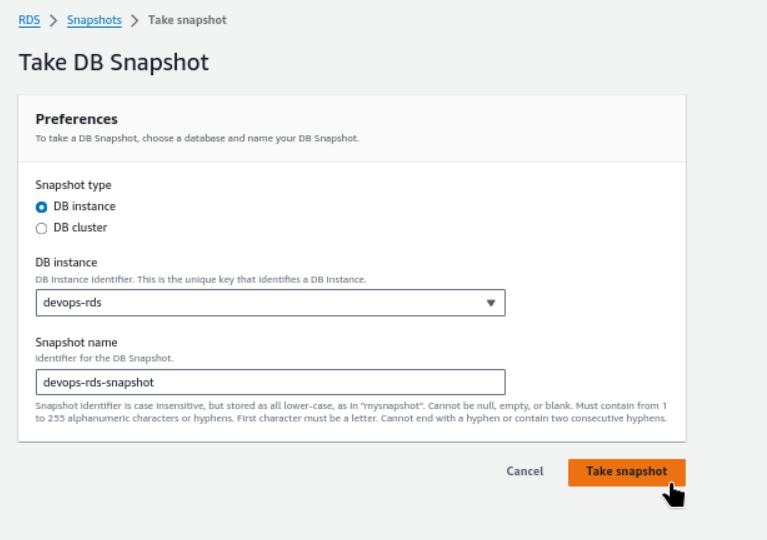
devops-rdsis already running inus-east-1region, take a snapshot of this RDS instance and name it asdevops-rds-snapshot.
Steps
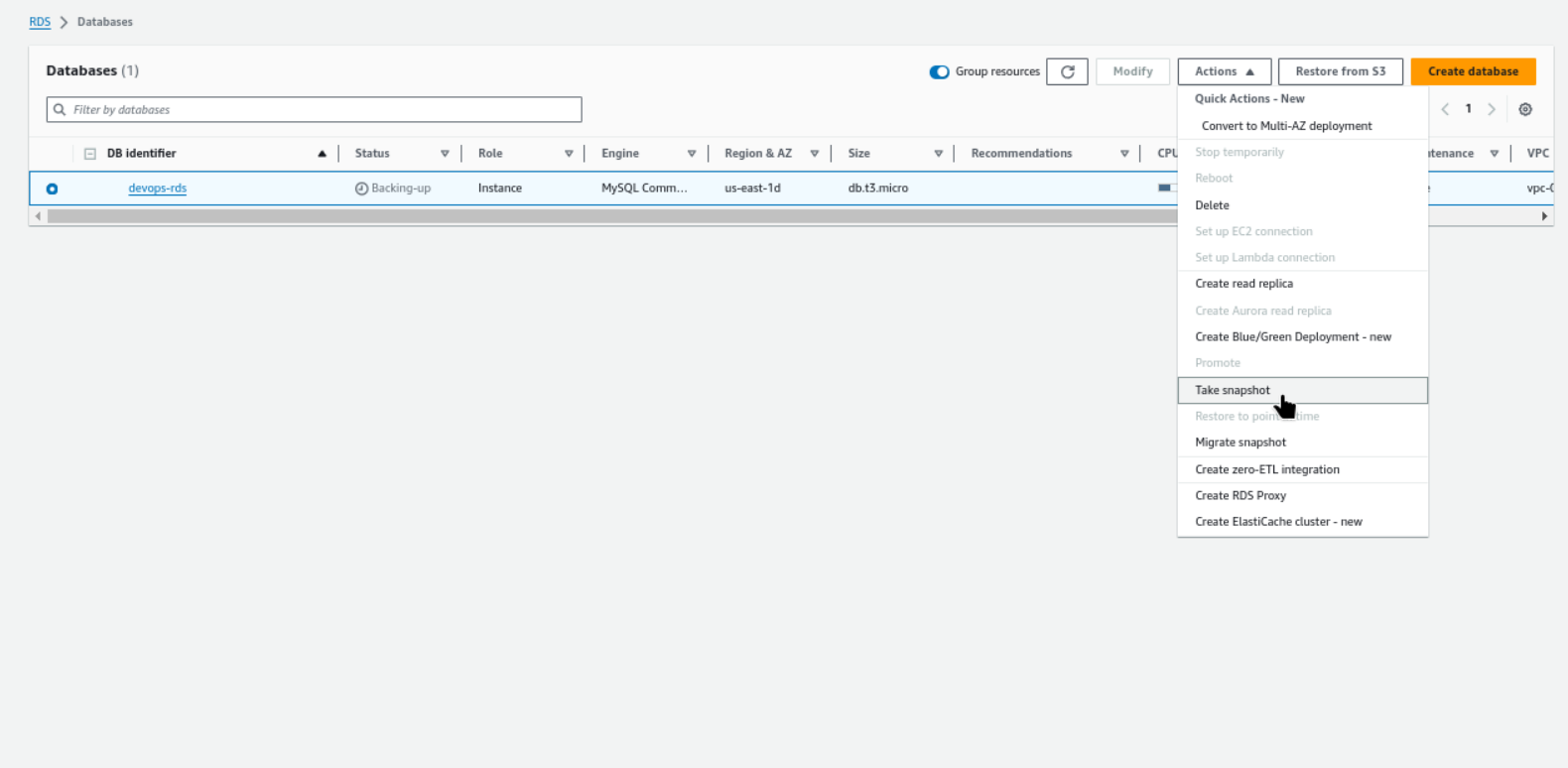
RDS → Databases → Actions → Take snapshot
RDS → Snapshots → Take snapshot
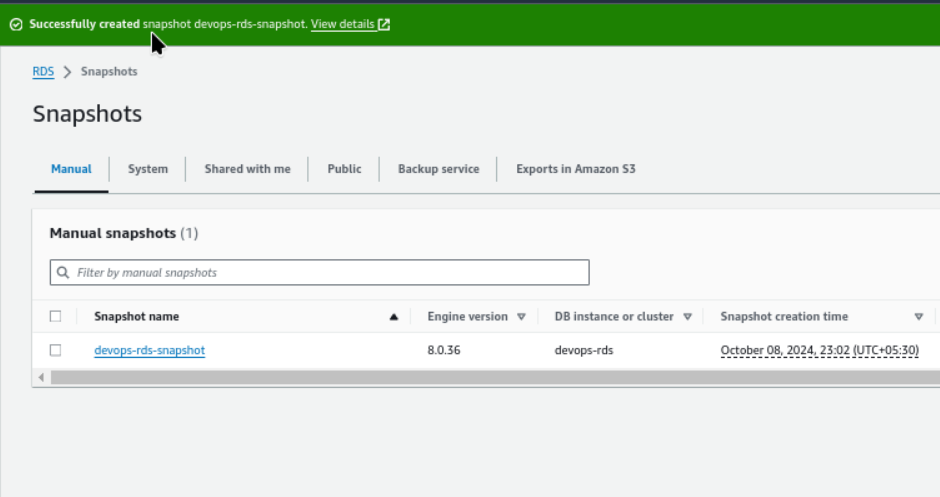
Successfully created snapshot devops-rds-snapshot.
#aws #cloudcomputing #happylearning


