

Delete EC2 Instance via AWS CLI
AWS CLI Commands for Deleting EC2 Instances
A
Infosec Poet and CAP-certified DevOps/SecOps Engineer, passionate about security, creativity, and continuous learning.
Tasks
Using AWS CLI, delete an EC2 instance named
nautilus-ec2present in theus-east-1region.Before submitting your task, make sure the instance is in the
terminatedstate.
Steps
Get the instance ID and Stop the
nautilus-ec2instance.aws ec2 describe-instances --filters "Name=tag:Name,Values=nautilus-ec2" --query "Reservations[*].Instances[*].InstanceId" --output text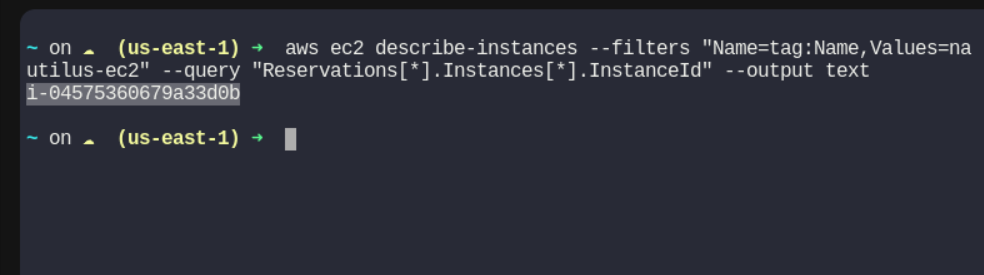
- i-04575360679a33d0b
Delete the EC2 Instance
aws ec2 terminate-instances --instance-ids i-04575360679a33d0b --region us-east-1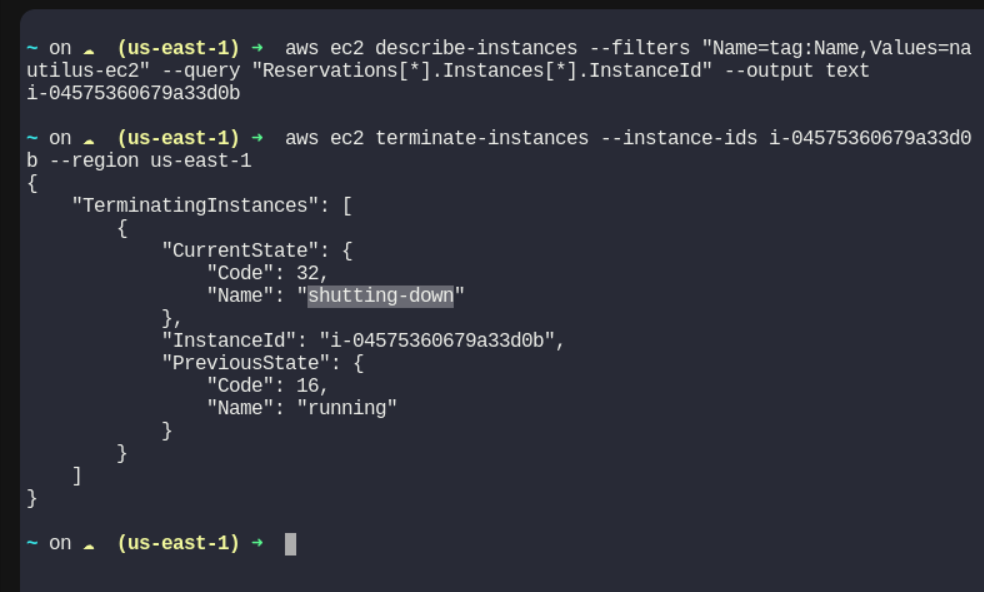
Verify the instance state is on terminated state
aws ec2 describe-instances --instance-ids i-04575360679a33d0b --region us-east-1 --query "Reservations[*].Instances[*].State.Name" --output text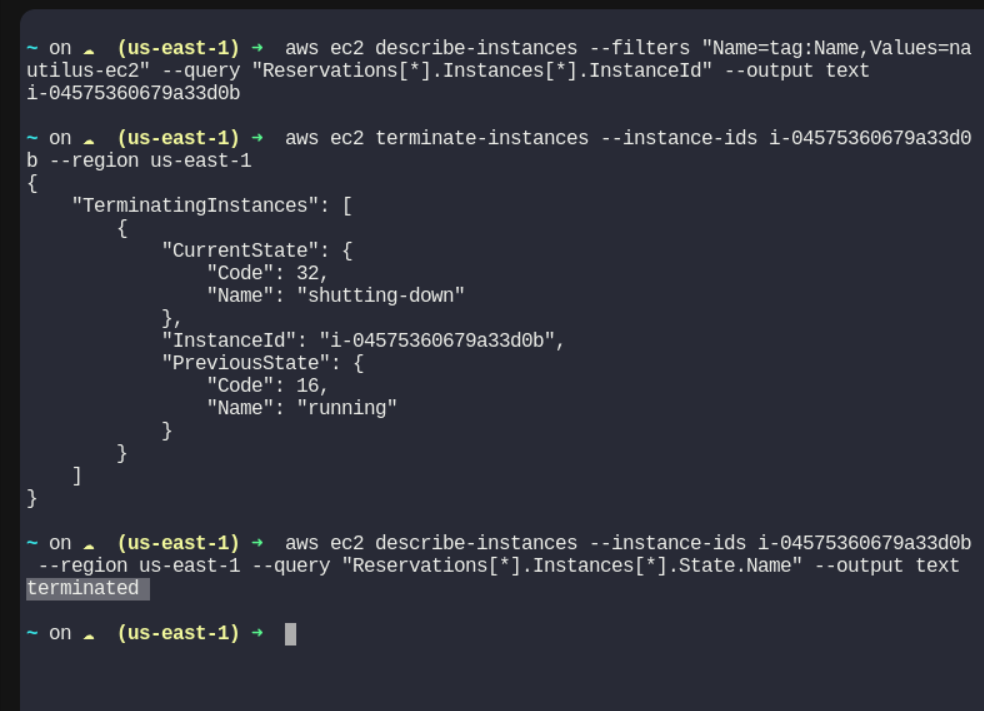
#aws #cloudcomputing #happylearning


