

Enable Stop Protection for EC2 Instance
Published
•1 min read
A
Infosec Poet and CAP-certified DevOps/SecOps Engineer, passionate about security, creativity, and continuous learning.
Tasks
- There is an EC2 instance named
xfusion-ec2underus-east-1region, enable thestopprotection for this instance.
Steps
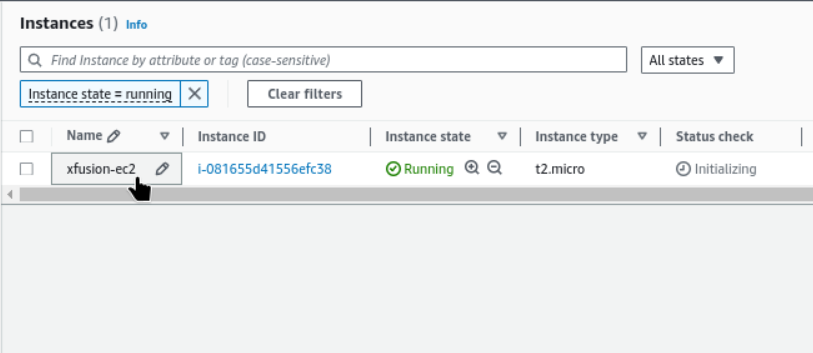
Find the instance name xfusion-ec2
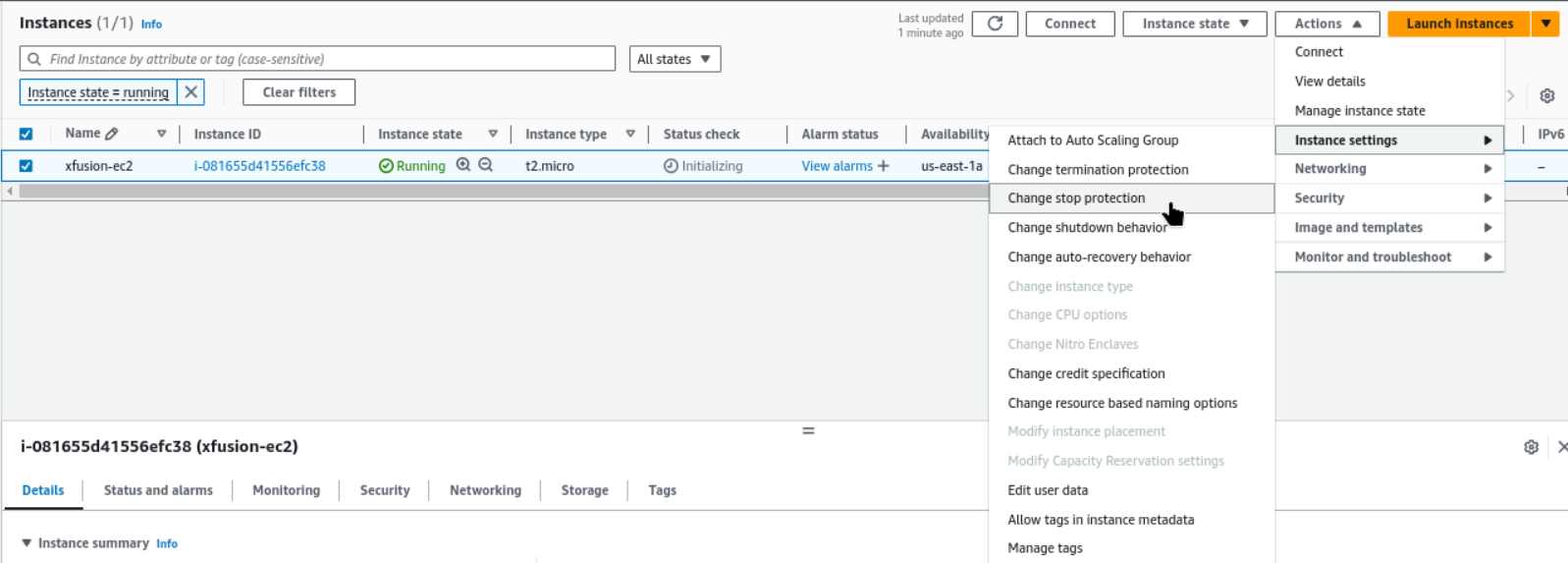
Select the instance → Actions → Instance Settings → Change Stop Protection
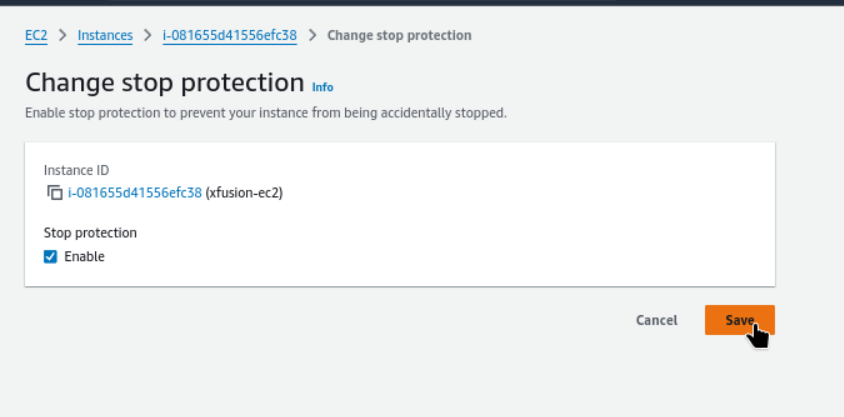
Enable stop protection and save.
Task Completed.
#aws
# StopProtectionfoEC2Instance
#happylearning


