Command Palette

Search for a command to run...

Enable Termination Protection for Your EC2 Instance

Published
1 min read
Enable Termination Protection for Your EC2 Instance
A

Infosec Poet and CAP-certified DevOps/SecOps Engineer, passionate about security, creativity, and continuous learning.

Tasks

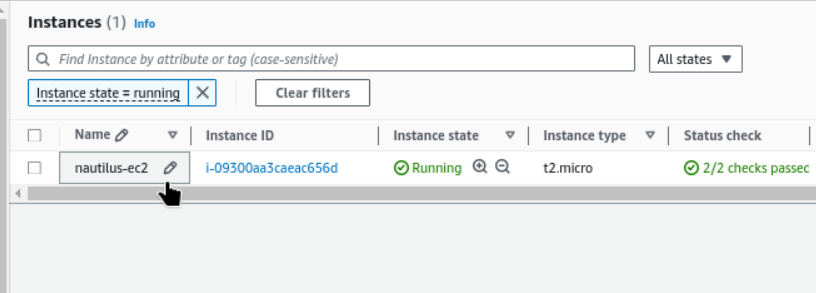
  • An instance named nautilus-ec2 already exists in us-east-1 region. Enable termination protection for the same.

Steps

  1. We have instance named nautilus-ec2.

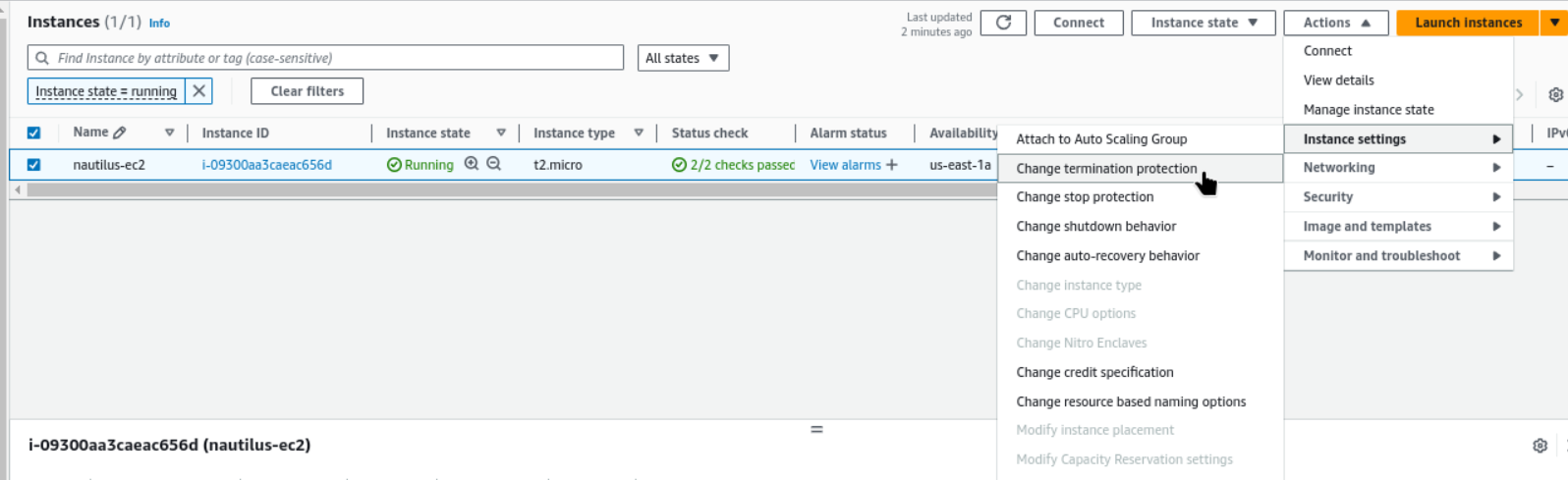
  2. Select the running instance and check actions → Instance Settings → Change Termination Protection
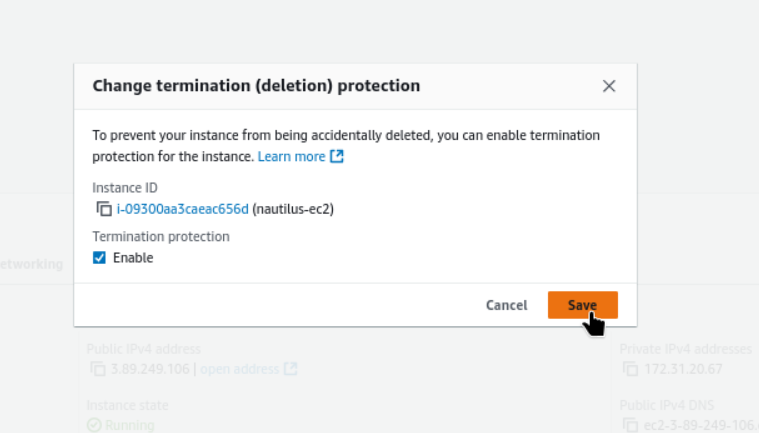
  3. Enable and save.

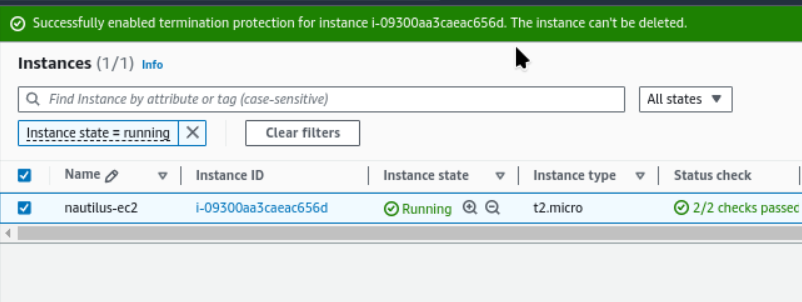
    • Successfully enabled termination protection for instance i-09300aa3caeac656d. The instance can't be deleted.
#ec2_termination_protection

#aws

#happy_learning

Cloud Platforms

Part 39 of 48

This series covers cloud platforms (AWS, Azure, GCP, OCI), including certifications, labs, issues, solutions, and billing. We'll also explore on-premises solutions and hybrid cloud environments.

Up next

Attach Elastic IP to EC2 Instance

Tasks There is an instance named xfusion-ec2 and an elastic-ip named xfusion-ec2-eip in us-east-1 region. Attach the xfusion-ec2-eip elastic-ip to the xfusion-ec2 instance. Steps We have Elastic IP addresses. Follow this steps : EC2 → Elastic I...