

Launch EC2 Instance via AWS CLI
How to Launch an EC2 Instance Using AWS CLI
Published
•1 min read
A
Infosec Poet and CAP-certified DevOps/SecOps Engineer, passionate about security, creativity, and continuous learning.
Tasks
Create an EC2 instance using AWS CLI under default VPC with the following details:
The name of the instance must be
datacenter-ec2.You can use the
ami-0cd59ecaf368e5ccfAMI to launch this instance.The instance type must be
t2.micro.Create a new RSA key pair named
datacenter-kp.Attach the default security group (available by default).
Steps
Create a new RSA key pair named
datacenter-kp:aws ec2 create-key-pair --key-name datacenter-kp --query 'KeyMaterial' --output text > datacenter-kp.pemLaunch an EC2 instance with the specified AMI and instance type, and assign it the name
datacenter-ec2:aws ec2 run-instances --image-id ami-0cd59ecaf368e5ccf --count 1 --instance-type t2.micro --key-name datacenter-kp --security-groups default --tag-specifications 'ResourceType=instance,Tags=[{Key=Name,Value=datacenter-ec2}]'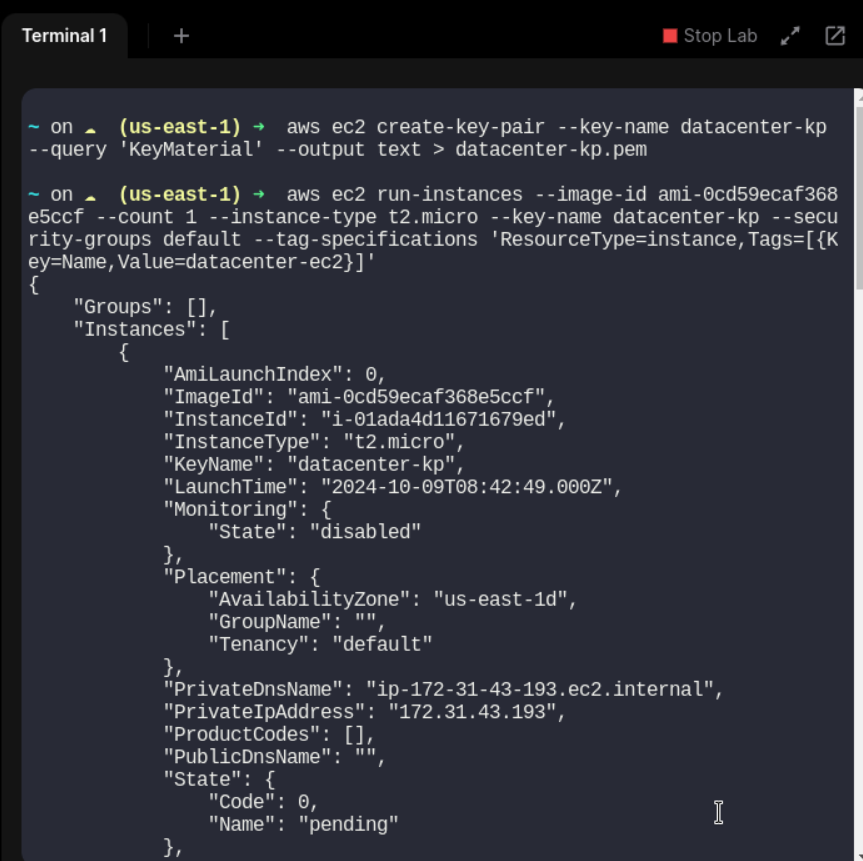
Ensure the key pair file has the correct permissions:
chmod 400 datacenter-kp.pem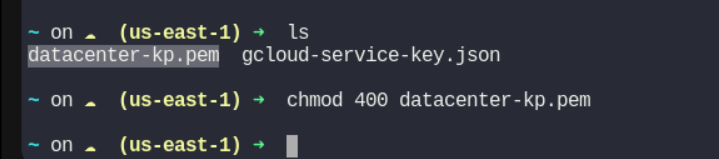
#aws #cloudcomputing #happylearning


