

Copy and Delete S3 Bucket Data
How to Easily Copy and Remove Data from an S3 Bucket
Updated
•1 min read
A
Infosec Poet and CAP-certified DevOps/SecOps Engineer, passionate about security, creativity, and continuous learning.
Tasks
A s3 bucket named xfusion-bck-4335 already exists.
1) Copy the contents of xfusion-bck-4335 s3 bucket to /opt directory on aws-client host (the landing host once you load this lab).
2) Delete the s3 bucket xfusion-bck-4335.
Steps
I am using aws cli here all my credentials are preconfigured.
#check the user
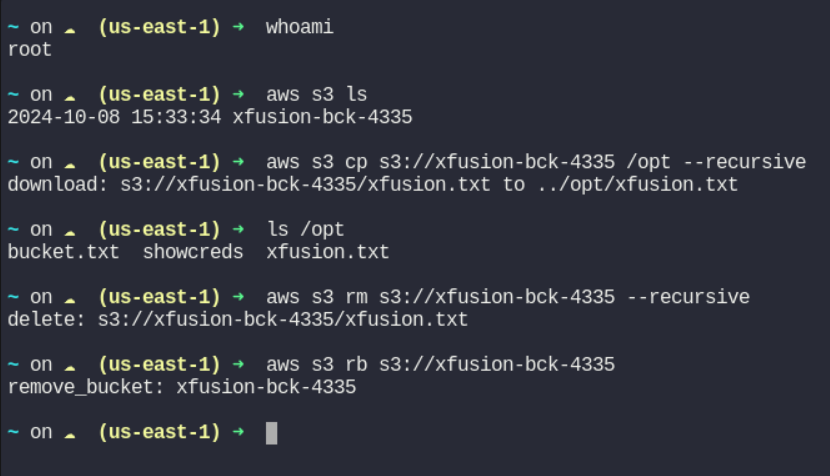
~ on ☁️  (us-east-1) ➜  whoami
root

~ on ☁️  (us-east-1) ➜  aws s3 ls
2024-10-08 15:33:34 xfusion-bck-4335

#Copy the contents
~ on ☁️  (us-east-1) ➜  aws s3 cp s3://xfusion-bck-4335 /opt --recursive
download: s3://xfusion-bck-4335/xfusion.txt to ../opt/xfusion.txt

~ on ☁️  (us-east-1) ➜  ls /opt
bucket.txt  showcreds  xfusion.txt

# Delete the contents of s3 buckets
~ on ☁️  (us-east-1) ➜  aws s3 rm s3://xfusion-bck-4335 --recursive
delete: s3://xfusion-bck-4335/xfusion.txt

#Delete the S3 bucket
~ on ☁️  (us-east-1) ➜  aws s3 rb s3://xfusion-bck-4335
remove_bucket: xfusion-bck-4335

~ on ☁️  (us-east-1) ➜
#aws #cloud computing #happylearning


